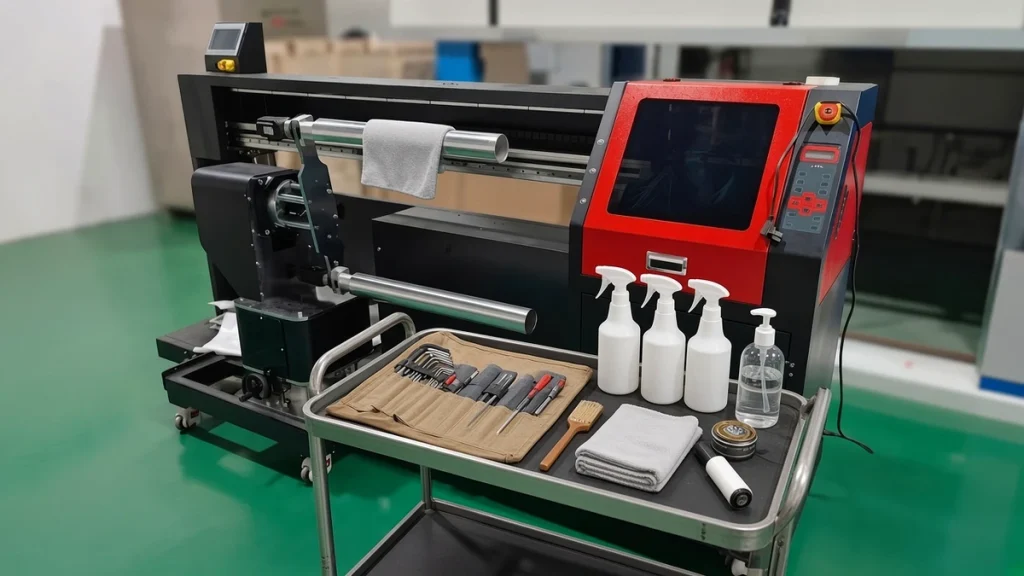
A well-maintained socks printer produces sharp lines, even color and fewer reprints. A neglected one develops missing nozzles, banding and unexpected downtime, usually during your busiest week. The good news is that most maintenance takes only minutes if it becomes routine. This checklist is a general guide; always follow the specific instructions in your machine's manual and the user guide and care information from your supplier.
Why maintenance matters so much
Inkjet printheads fire microscopic droplets through nozzles that are thinner than a human hair. Dried ink, dust and fibers from socks can partially block nozzles. Textile environments are dusty by nature, and socks shed lint every time they are loaded. Regular cleaning keeps that lint away from the heads and the ink path.
Daily routine
At start-up:
- Check ink levels and top up bulk tanks before they run low, so air does not enter the lines.
- Print a nozzle check pattern. If lines are missing, run a light head cleaning and check again.
- Inspect rollers for ink residue or lint and wipe them clean.
- Make sure the room temperature and humidity are within the recommended range.
During production:
- Keep the area around the printer free of loose lint and packaging dust.
- Watch prints for early signs of banding or color shifts.
At shutdown:
- Clean the wiper and capping area with the recommended cleaning liquid and a lint-free cleaning stick.
- Park the heads correctly on the capping station so they stay sealed and moist.
- Wipe down the carriage rails and the roller area.
Weekly routine
- Clean the capping station thoroughly and inspect the caps for wear or damage.
- Check the ink tubes for air bubbles and the dampers for proper flow.
- Clean the encoder strip carefully according to the manual; dirt here can cause positioning errors.
- Vacuum lint from around the machine, under the carriage and inside accessible covers.
- Review your print log for recurring issues.
Prefer a step-by-step list? Use our weekly maintenance checklist for 360° sock printers.
Monthly routine
- Inspect and replace worn wiper blades and capping parts. A capping station that no longer seals well lets heads dry out.
- Check dampers and filters, and replace them if flow is reduced.
- Inspect rollers for scratches or deformation that could affect sock loading.
- Check belts, rails and moving parts for smooth motion.
- Back up RIP settings and color profiles.
Managing ink
Ink quality and handling have a big effect on head life. Store ink in a cool place away from direct sunlight, shake or agitate according to the ink maker's guidance, and never mix ink types in the same channel. If the machine will be idle for several days, follow the manufacturer's procedure for idle periods rather than simply switching it off.
Environment
Printheads prefer stable conditions. Very dry air dries ink at the nozzle; very humid air can affect fabric and drying. Many print rooms use a simple humidifier and air conditioning to keep conditions steady. Our article on socks printer workspace requirements has more detail.
Keeping a maintenance log
Write down what you did and when: cleanings, part replacements, nozzle check results. A log helps you spot patterns, such as a channel that clogs every Monday after a weekend shutdown, and it gives support engineers useful information if you need help.
Know your spare parts
Keep a small stock of parts that wear regularly so a minor issue does not stop production: wipers, caps, dampers, ink tubes and filters. Our list of spare parts to keep for your socks printer suggests a starter kit. Printheads such as the Epson I1600 are the most valuable component, so careful daily care is the best way to protect them.
When to call support
If nozzle checks keep failing after cleaning, if you see sudden color shifts, or if the carriage makes unusual noises, stop and contact your supplier before forcing more cleaning cycles. Excessive cleaning wastes ink and can stress the heads. Our troubleshooting guide helps you describe the issue clearly.
Keeping a maintenance log
A short written log turns maintenance from memory into routine. Record the date, the task, who did it, and anything unusual, such as missing nozzles in the test print or ink that looked different. Over a few months the log shows patterns: perhaps banding appears after long idle weekends, or a filter needs changing more often than expected. Sharing the log with your supplier also makes remote support faster.
Consumables to watch
Keep an eye on capping stations, wipers, cleaning liquid and filters. Our spare parts guide lists what to keep on the shelf, and the user guide page covers machine-specific steps.
Conclusion
Maintenance is the cheapest way to keep print quality high and downtime low. Ten minutes a day, half an hour a week and an hour a month will save far more in reprints and repairs. For help building a routine for your specific model, visit our support center or contact our technical team.
Leave A Comment