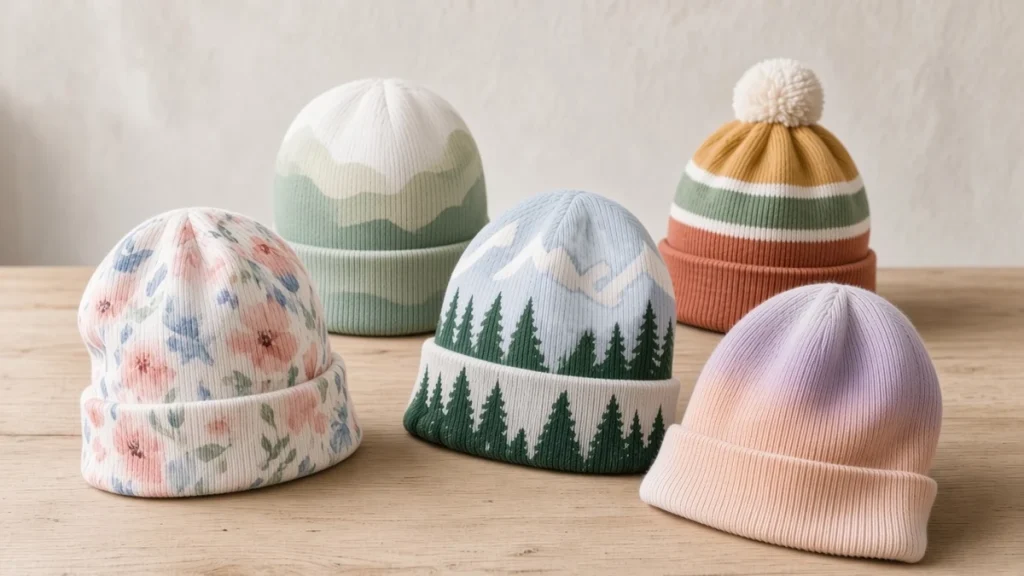
Custom beanies start with one question: a small logo on the cuff, or a design that covers the whole hat? The first is a classic embroidery job. The second needs a print method, either printing fabric before the beanie is sewn, or printing a finished knitted beanie all the way around on a rotary socks printer.
This guide is for brands, merch sellers, print shops and sock or tubular-knit factories deciding how to decorate custom beanies this season. It compares the three methods, the fabrics, artwork for the folded cuff, and what drives minimum orders. For the production side of printing headwear on a sock printer, start with our overview of custom beanies and headwear with 360 digital printing.
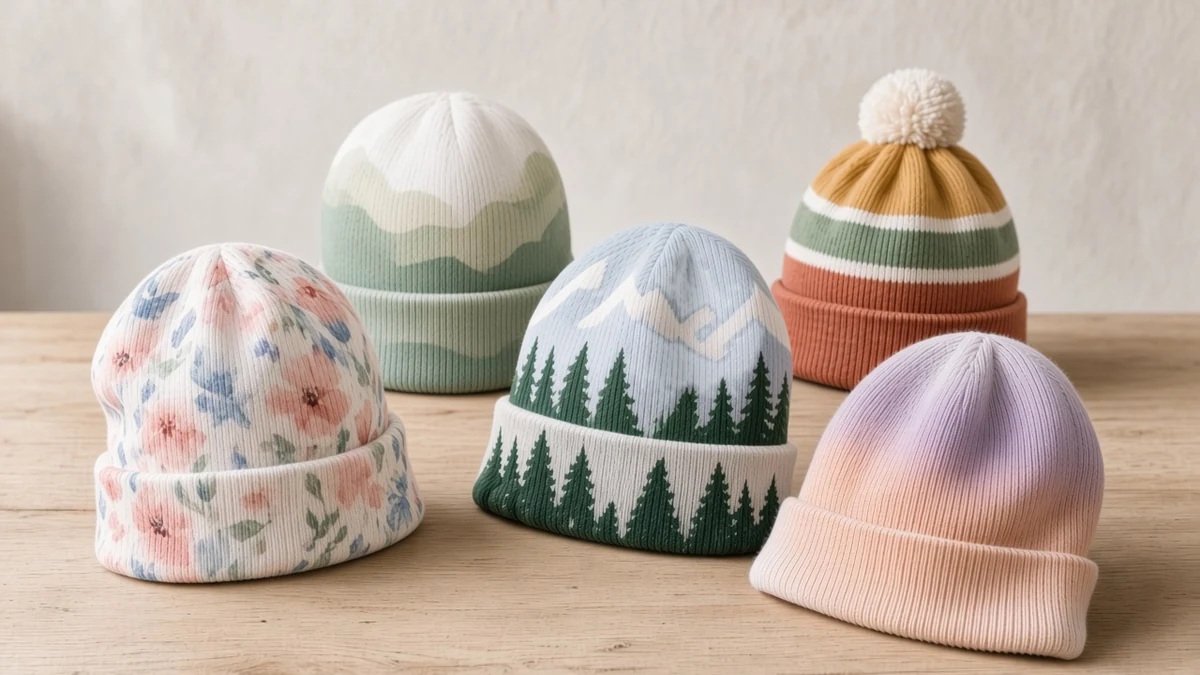
Three Ways to Decorate a Custom Beanie
Embroidery stitches thread into a finished beanie, usually on the cuff, from a stitch file that is reused for every piece. Many headwear decorators treat it as the default for logos on knit, because thread holds its shape on a stretchy, textured surface.
Cut-and-sew with fabric sublimation prints flat polyester fabric, which is then cut and sewn into beanies. It allows full-coverage artwork, but every design needs its own cutting and sewing, and the result is usually a smooth polyester knit or fleece rather than a classic rib.
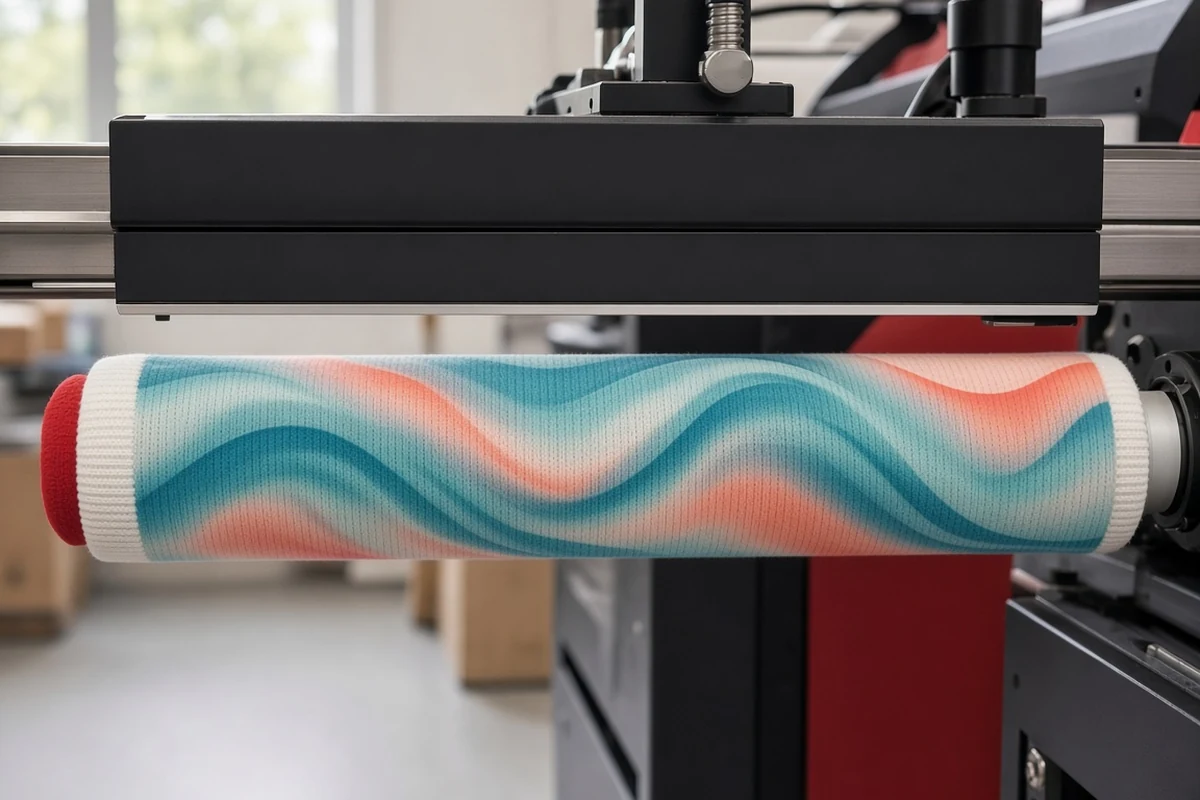
360° digital print on a finished beanie pulls a knitted blank onto a roller and jets ink as it turns, so the design wraps the tube without a pressing seam. Each print comes from a digital file, so the design or name can change from piece to piece. It is the same rotary method used for socks; see sublimation vs 360° digital printing for tubular textiles for how it differs from flat heat-press sublimation.
| Factor | Embroidery | Cut-and-sew fabric sublimation | 360° print on a finished beanie |
|---|---|---|---|
| Design freedom | Bold logos and text in a limited number of thread colours; no photos or smooth gradients | Full colour across the fabric; artwork must be planned around seams | Full colour around the whole tube, including gradients and photographic detail |
| Hand feel | Raised, slightly stiffer patch of thread on the logo area | Smooth; depends on the polyester fabric chosen | Dye-based inks colour the fibres rather than forming a surface layer; confirm hand feel on a sample |
| Blank colour | Any colour, including black and navy | White or light polyester base for bright colours | White or light blanks; standard CMYK has no opaque white for dark beanies |
| Setup per design | Stitch file (digitizing) per logo | Pattern, print layout, cutting and sewing per design | Print-ready file and a size template; no screens or stitch files |
| Typical MOQ character | Low to moderate; one stitch file covers every piece | Usually the highest, because each design is manufactured as a new product | Set by blank supply and sampling rather than by setup per design |
| Best use | Corporate logos, dark or coloured beanies, premium retail | Large programmes in one fixed design and shape | All-over art, short runs, many designs, personalized or matching sets |
Knitting the pattern in with coloured yarns (jacquard) is a fourth option for large repeat programmes with simple shapes.
When Each Method Fits
Choose embroidery for a company logo on a black, navy or heather beanie. It works on almost any blank colour and is hard to beat for a one- or two-colour mark on a cuff. Simplify the logo first; fine lines and tiny text do not stitch well on soft knit.
Choose cut-and-sew for a large, fixed programme that needs a shape or fabric no blank offers.
Choose 360° printing on a finished beanie when the artwork is the product: winter scenes, geometric repeats, gradients, photos or a design that matches a sock. It also fits many designs in small quantities, or a name on each piece, because changing the file adds no setup.
Many merch programmes use both: an embroidered logo beanie in dark colours for staff, and a printed all-over design in light colourways for fans or retail.
Fabrics: What Prints and What to Test
The ink must match the fibre, so check the composition label first. Colorido’s machine pages list these routes:
- Polyester: disperse ink, then heat fixation in an oven. A smooth, light polyester knit gives the brightest all-over result.
- Cotton: reactive ink, with pretreatment, steam fixation, washing and drying.
- Wool and nylon: acid ink, with its own fixation and washing steps.
Many classic cuffed beanies are acrylic, which is not on that list. Treat it as a test item and confirm the ink route with your ink supplier before promising colours. Our digital socks printer inks guide explains the main ink families.
Texture and colour matter too. A chunky rib breaks up fine detail, and standard CMYK printing cannot lay an opaque white under the design, so dark beanies are a job for embroidery.
Designing for the Cuff, Body and Crown
Split the artwork into three zones and decide what each one does.
The cuff band
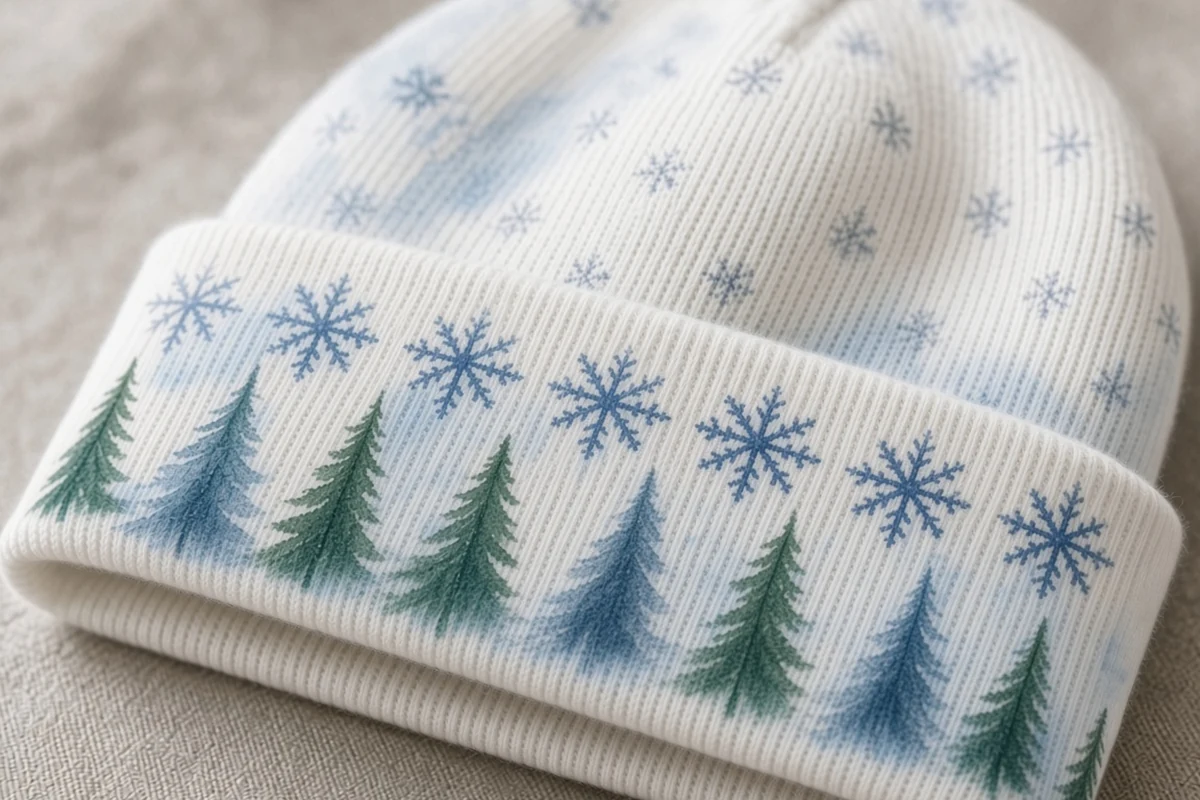
The cuff is seen first, so it carries the main message: a name, a word mark or the strongest part of the pattern. Check two things on a folded sample:
- Which face shows. Turning the brim up shows the other face of that band. On some constructions this is the inside of the fabric, which a print on the outside may not fully reach.
- Which way is up. Folding turns the band upside down, so cuff text may need to be flipped in the file.
The body
The area above the cuff carries the all-over pattern. Because it runs all the way around, the left and right edges of the file must match. Our artwork file prep guide covers repeat-ready edges and templates.
The crown and pom-pom
The knit gathers at the top and compresses detail, so keep text off the crown. Print pom-pom beanies before the pom-pom is attached.
Stretch changes proportions between roller and head, so check each new blank on a worn sample; see how to match roller diameter and length to your product.
What Drives MOQ on Custom Beanies
Minimums follow setup. Embroidery spreads one stitch file over the run. Cut-and-sew carries pattern, printing and sewing for each design, so it needs the largest runs. 360° printing on finished blanks has no screens or stitch files, so blank supply, sampling and the number of size templates set the limit.
Ask every supplier the same questions: the minimum per design, colourway and size; whether a sample is included; and whether each piece can carry a different name. For the same logic on socks, see custom socks MOQ.
Which Colorido Machines Print Beanies and Headwear
Colorido’s socks printer range states that selected models can print beanies, neck gaiters and sleeves as well as socks, with compatible rollers, inks and finishing. On the current product pages, two models are linked to headwear:
- Yoga-Wear Printer CO220-450MAX: the large-diameter yoga-wear printer in the socks printer line, with 4 Epson I3200 printheads and a multi-roller turntable. Its applications list printed beanies, knit caps and sports headbands alongside yoga wear and boxer briefs.
- Socks Printer CO70-220PRO: an open single-roller sock printer. Swapping the cylinder size lets the same platform print neck gaiters, headwear and ice sleeves as well as socks.
Compatibility is confirmed on the actual blank, so send a sample beanie or its fibre content and flat and stretched measurements before choosing a configuration.
Beanies in Your Winter Merch Plan
Printed beanies work best as part of a set rather than a single item:
- Winter drops: release a beanie in the same artwork as a pair of custom printed socks, so both can be sold separately or as a gift set.
- Teams and supporters: club colours on a beanie next to custom team socks, with player names where the method allows it.
- Corporate gifts: an embroidered logo beanie for staff, paired with printed socks in brand colours. Our corporate gifts guide covers planning and packing.
For a holiday or event date, work backwards: blank, artwork, a fixed sample, then bulk. The same tubular workflow covers summer products such as cooling arm sleeves, so beanies fill the colder months without a separate process.
Conclusion
Embroidery remains the strongest choice for a clean logo on a dark cuff. Cut-and-sew suits large fixed programmes. 360° printing on a finished knit is the method for all-over artwork, short runs and matching sock sets, as long as the blank is light and printable. Decide what the cuff must say, pick the blank, and test a folded, fixed sample before you scale.
Planning printed beanies or headwear on a socks printer? Contact us with your blank, fibre content and artwork, and we will help you check the fit.
Frequently Asked Questions
Is embroidery or printing better for custom beanies?
Embroidery is usually better for a small logo on a dark or coloured cuff. Printing is better for full-colour, all-over artwork, gradients, photos or a design that matches a pair of socks.
Can you print an all-over design on a finished knitted beanie?
Yes, on a compatible blank. A rotary socks printer or yoga-wear printer prints the beanie on a roller so the design wraps around it. The blank must fit a roller and suit an ink route, so test a sample first.
Can dark or black beanies be printed all over?
Not with standard CMYK printing, because it has no opaque white underbase. Use white or light beanies for all-over print, and choose embroidery when the beanie must be black or a deep colour.
Which fabrics work best for 360° printed beanies?
Smooth, fine, light-coloured knits print best. Polyester uses disperse ink with heat fixation, cotton uses reactive ink, and wool or nylon use acid ink. Test acrylic and check it with your ink supplier first.
Will my design show when the cuff is folded?
Only if you plan for it. Folding can show the other face of the fabric and turns the band upside down, so check placement on a folded, fixed sample.
What is the minimum order for custom printed beanies?
It varies by method and supplier. Cut-and-sew needs the largest runs. 360° printing on finished blanks has no screens or stitch files, so blank supply and sampling usually set the limit. Ask for the minimum per design, colourway and size.
Leave A Comment