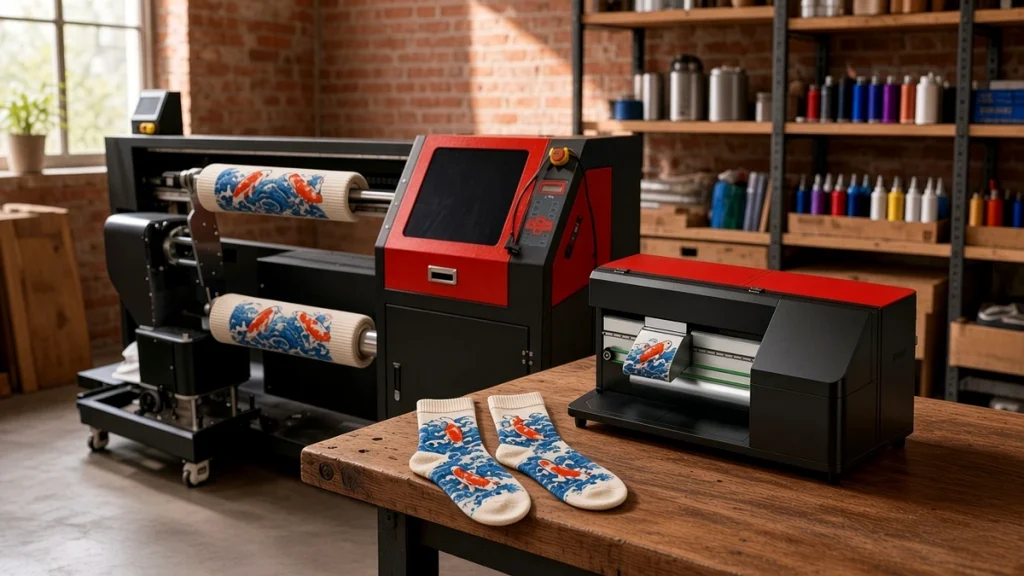
Choosing a socks printer is less about finding the "best" machine and more about finding the one that fits your products, your materials and the way your team works. A four-roller production machine is excellent for a factory running two shifts, but it may be the wrong choice for a studio printing fifty personalized pairs a day. This guide walks through the decisions in a practical order.
Start with your product mix
List what you actually plan to print in the first year:
- Standard crew and ankle socks only?
- Long tube socks, compression socks or leggings?
- Other tubular items such as ice sleeves, beanies or neck gaiters?
Product length and diameter decide which rollers and print lengths you need. Some machines are optimized for standard socks; others, like the CO60-100PRO twin-roller socks printer, accept longer print lengths and a wider roller range, which makes them better for mixed work.
Decide on your main fiber
Fiber choice drives ink choice, and ink choice drives the whole finishing line:
- Polyester uses disperse ink fixed with heat. The route is short and clean.
- Cotton uses reactive ink with pretreatment, steaming or low-temperature fixation, then washing and drying.
- Nylon and wool are typically printed with acid ink and steamed.
If most of your customers want polyester sublimation-style socks, a polyester route is simpler. If you serve premium cotton sock brands, budget for the extra finishing equipment. Our comparison of polyester vs cotton digital printing socks explains the trade-offs.
Estimate output honestly
Work out a realistic daily target, then check it against the published reference output of each model. Remember that real output depends on design coverage, resolution, sock length and operator skill. As a rough guide from the Ningbo Colorido range:
- Desktop and single-roller machines suit sampling, small studios and entry-level production.
- Twin-roller machines add flexibility, with one roller printing while the other is loaded.
- Four-roller machines such as the CO80-210PRO are designed for continuous custom sock production.
It is usually better to choose a configuration that comfortably meets year-two demand than to run a smaller machine flat out from the first month.
Consider your team
Who will run the machine? A single operator managing printing, oven and packing will appreciate a simpler single-roller workflow. A dedicated print room with separate loaders and finishers can take full advantage of a multi-roller design. Our operator training plan helps you estimate staffing.
Check space, power and climate
Printers, ovens, steamers and dryers all need floor space, electrical capacity and, for steam fixation, a steam supply. Inkjet printheads also prefer stable temperature and humidity. Walk through your available space before ordering; our socks printer workspace guide lists what to measure.
Look closely at support
A socks printer is a production tool. When it stops, orders stop. Ask potential suppliers:
- Do they provide remote video support and how fast do they respond?
- Can they supply printheads, dampers, capping stations and other spare parts quickly?
- Do they offer training, either at their factory or online?
- Can you see machines running live before you buy?
Ningbo Colorido, for example, invites buyers to visit the factory in person or by live video and runs regular live streams showing machines on real working days.
Think about the whole line
The printer is the centerpiece, but finished socks come from a line. Budget for fixation equipment, and for the cotton route washers and dryers. A supplier that can provide the printer and the pretreatment and finishing equipment together makes integration easier.
A simple decision path
- Define products and sizes.
- Choose the main fiber and ink route.
- Set a realistic daily output for year one and year two.
- Shortlist configurations that meet year-two output comfortably.
- Check space, power and staffing.
- Compare support, training and spare-parts availability.
Following these steps usually narrows the choice to one or two models. From there, ask for sample prints on your own blank socks and compare them under the same lighting.
Next steps
If you are still unsure, use our buying checklist, open the socks printer comparison table, or send us your product list and we will recommend a configuration that fits your business rather than the largest machine on the price list. When you start talking to suppliers, bring these questions to ask before you choose a machine.
Matching the machine to your next two years
A common mistake is buying for today's orders only. Before choosing a socks printer, write down three numbers: pairs you print now, pairs you expect in a year, and pairs you would need in a busy season. If the gap is large, a multi-roller layout or a plan for a second machine may suit you better than the smallest model.
Questions worth asking every supplier
- Which fibers have you tested this model on, and can I see samples?
- What training and remote support are included?
- Which spare parts do customers replace most often?
- Can I visit or video-call a customer who runs the same machine?
You can compare current models on the compare page and read related advice in our buying checklist.
Leave A Comment