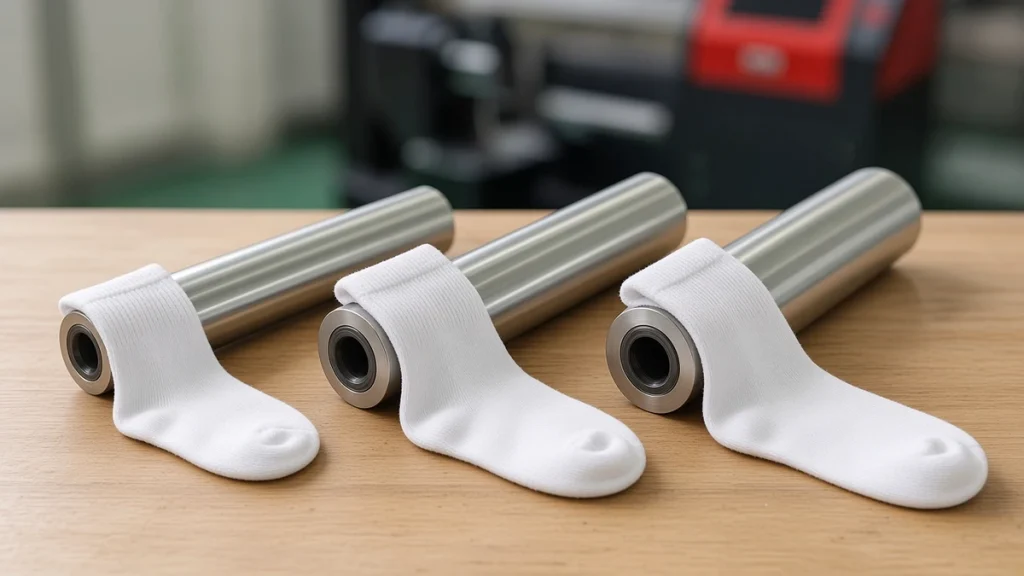
On a 360 sock printer, the roller does more than hold the sock. It determines how far the fabric is stretched during printing, which affects color coverage, design proportions and whether white shows through when the sock is worn. Matching roller size to sock size is one of the simplest ways to improve quality, yet it is often overlooked.
Why stretch matters
Knitted fabric is made of loops. When stretched, the loops open and gaps appear between yarns. Ink lands on the yarn surface. If the sock is printed much more stretched than it will be worn, the design shrinks and looks compressed when relaxed. If it is printed much more stretched than it will ever be on a foot, the opened loops may show white when the sock is stretched on the foot at a different angle. If it is printed too loose, the fabric can wrinkle, sag or shift, causing blur and distortion.
The aim is to print at roughly the stretch the sock will experience when worn.
How roller sizes are chosen
Roller diameter is matched to the sock's relaxed circumference and stretch characteristics. Typical ranges cover kids, women's, men's and large sizes. Some machines offer broad ranges; for example, the published roller diameter range for the CO60-100PRO is 60–100 mm, customizable, while the CO80-210PRO lists 73–92 mm. Check the comparison table for each model.
Practical steps to find the right size
- Measure the relaxed circumference of the sock leg.
- Stretch it gently to typical wearing tension and measure again.
- Choose a roller whose circumference falls in that range.
- Print a test with a grid pattern.
- Wear or place the sock on a foot form and check for distortion and white show-through.
- Record the result for that blank and size.
Size groups in production
Most businesses group sock sizes into a few roller sizes rather than having one roller per size. Document which blanks and sizes go on which roller and label rollers clearly. Group jobs by roller in the queue to minimize changes. See RIP software and your socks printer.
Templates follow rollers
Each roller size has its own artwork template width, equal to the stretched circumference. Using the wrong template causes visible joins or gaps. Read preparing artwork for a socks printer.
Loading technique
Even the right roller cannot fix poor loading. Operators should:
- Pull the sock evenly, without twisting.
- Align the knit lines straight along the roller.
- Position heel and toe consistently.
- Avoid overstretching the cuff.
Special products
Ice sleeves, beanies and gaiters may need different rollers from socks. Some products need custom diameters. Ask your supplier when adding new products. See what else a socks printer can print.
Caring for rollers
- Clean ink and lint regularly.
- Store rollers so they cannot be dented or scratched.
- Inspect for damage that could snag socks.
Building a roller and size chart
A clear chart linking sock sizes to rollers saves time and prevents mistakes. For each blank, record:
- Sock size label (for example kids, women's, men's).
- Measured flat width and length of the blank.
- The roller used and how the sock fits: snug, flat and without overstretching.
- Template file name for that size.
- Notes on stretch areas to avoid for text.
Post the chart next to the 360 sock printer and keep a digital copy with your print templates.
When blanks change
A new blank supplier or even a new batch can fit rollers differently. Measure new blanks and test on the rollers before production. Update the chart if needed. See choosing blank socks for digital printing.
Printing other products
Sleeves, beanies and other tubular items need their own fit checks. Some may need different rollers. See printing ice sleeves and beanies and headwear.
Common fit problems
Pattern looks pale on large sizes: the sock may be overstretched; try a smaller roller or a different blank.
Design slips or blurs: the sock may be loose; try a larger roller or check loading technique.
Seam alignment varies: check that socks are loaded straight every time.
Prints look different from the template: recheck that the template matches the roller and size in use.
Frequently asked questions
Why does white show when the sock is stretched?
Usually the roller is too small relative to wearing stretch, or ink coverage is too low. Test a larger roller or adjust ink limits.
How many rollers should I buy?
Enough to cover your main sizes, plus spares for the most-used size if production is heavy.
Can I print kids' socks on adult rollers?
No; kids' socks need smaller rollers to stretch correctly.
Conclusion
The right roller size makes a 360 sock printer produce even color and undistorted designs. Measure, test with grids, document size groups and match templates to rollers. For roller options on each model, see our socks printer comparison or contact us.
Leave A Comment