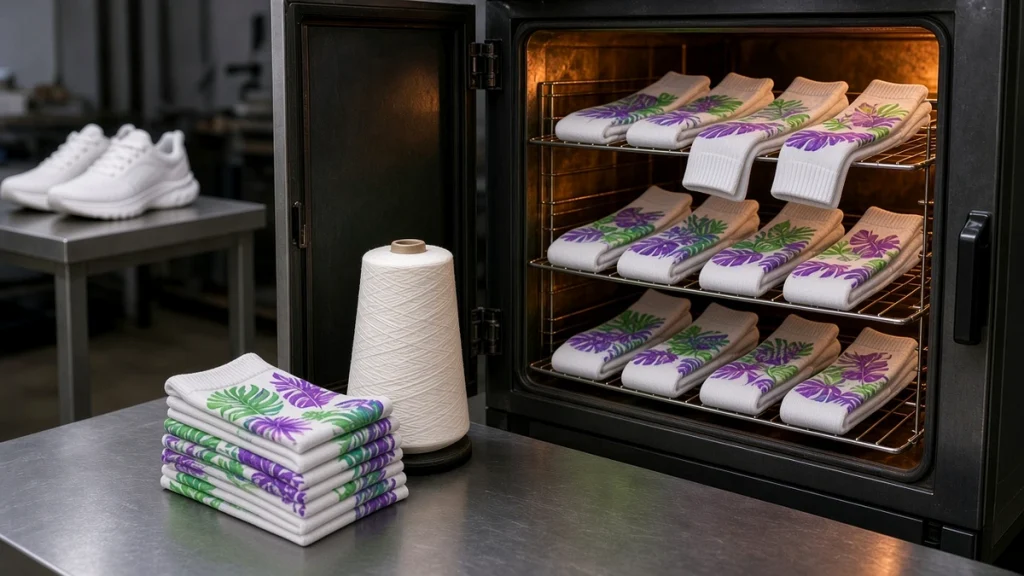
Walk through any display of colorful printed socks and many of them will be polyester or polyester-rich blends. Polyester takes disperse dyes beautifully, producing vivid colors and sharp detail. It also has the shortest finishing route of the common sock fibers. If you are planning to start with one material, polyester is usually the easiest place to begin with a socks printer.
Why polyester prints so well
Polyester fibers accept disperse dyes when heated. During fixation, the dye migrates into the fiber and becomes part of it rather than sitting on top. That means:
- Bright, saturated colors.
- Good wash resistance when fixation is done correctly.
- A soft hand feel because there is no heavy ink layer on the surface.
The polyester workflow
The polyester route on a socks printer is simple:
- Load the blank sock onto a roller of the correct size.
- Print with disperse ink using a profile made for your sock.
- Fix in an oven at the temperature and time recommended for your ink.
- Inspect and pack.
Unlike cotton, polyester generally does not need pretreatment or post-washing, which shortens the cycle and saves floor space.
Choosing the right blanks
Not all polyester socks print equally. Look for:
- High polyester content in the printed areas. Blends with large amounts of cotton will print paler.
- Consistent knitting so the fabric stretches evenly on the roller.
- White or light base color for full-color designs.
- A clean surface free of oils or finishing agents that could affect ink absorption.
Ready-made blank polyester socks designed for digital printing make it easier to get consistent results. Our guide on choosing blank socks for digital printing covers the details.
Heat fixation is critical
The oven step is where many quality problems begin or end. Too little heat or time leaves dye on the surface, leading to dull colors and bleeding in the wash. Too much can yellow the fabric or affect elastic components. Follow your ink supplier's guidance and test carefully.
Oven choice depends on volume. A compact COHE-150 benchtop oven suits small batches, while chain ovens such as the COHE-1801 and extended COHE-1802 keep up with continuous production. Read our sock oven guide for the reasoning behind each.
Getting the color right
Disperse inks change appearance during fixation: colors look duller before heating and brighten afterwards. That means you must judge color only after fixation. Build color profiles by printing test charts, fixing them exactly as in production, and measuring or comparing the results. Our socks printer color management guide explains the process.
Common issues with polyester printing
- White showing in stretch areas. Usually caused by a roller that is too large or a sock with low polyester content.
- Dull colors. Often under-fixation or an incorrect profile.
- Color shift between batches. Check oven temperature consistency and ink batch changes.
- Ink spreading. Too much ink for the fabric; adjust ink limits in the RIP.
Beyond socks
Because the polyester route is so efficient, many businesses use the same printer and oven for other tubular polyester products: ice sleeves, arm sleeves, sweatbands and neck gaiters. See the applications gallery for examples, and our article on printing ice sleeves on a rotary socks printer.
When to add cotton
Some customers will ask for cotton. Adding a cotton route means reactive ink, pretreatment, steaming or low-temperature fixation, washing and drying. It is a bigger step, but it opens the premium cotton sock market. Our guide to printing cotton socks on a socks printer explains what changes.
Checking results on polyester
A good polyester print from a socks printer should look bright, sharp and even all the way round. When checking samples, look closely at three areas:
- Stretch areas such as the heel and cuff, where the knit opens up and white can show through.
- The seam line where the print meets itself, which should be smooth with no gap or overlap.
- Dark colors, which reveal under-fixation first by looking dull or uneven.
Blend content matters
Socks sold as "polyester" can contain different amounts of spandex, nylon or other fibers. Sublimation colors bond with polyester, so blends with less polyester may look paler. Test each new blank and keep the results. Our blank polyester socks page and choosing blank socks for digital printing explain what to look for.
Fixation consistency
Polyester results depend heavily on heat fixation. Keep a record of oven settings per blank and check them when you change supplier. Our sock oven guide explains why consistent heat matters and how to test it.
Practical tip
Keep a reference pair from each approved batch. When a customer reorders, print a new pair and compare it side by side with the reference before running the full order.
Conclusion
Polyester gives a socks printer its brightest colors and shortest workflow. Choose good blanks, fix carefully and judge color after fixation. To see printed polyester results, visit our printed polyester socks page, or contact us to discuss the right printer and oven combination for your volume.
Leave A Comment