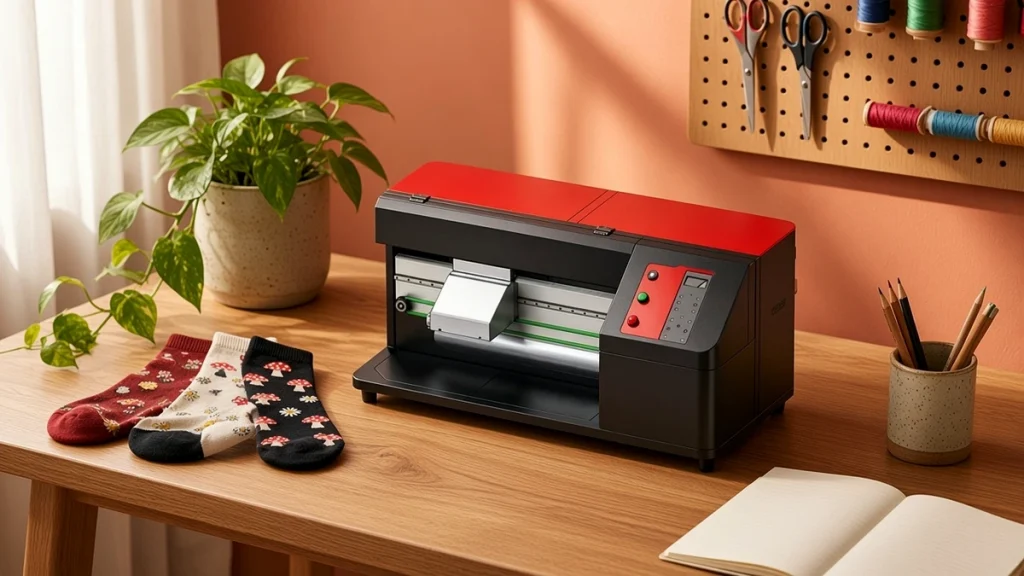
Not every sock business needs an industrial production line on day one. Many start in a small studio, a spare room or a corner of an existing print shop. For these businesses, a compact desktop socks printer can be an ideal entry point. It brings the same seamless printing principle as larger machines into a much smaller footprint.
What a desktop socks printer is
A desktop socks printer is a compact rotary printer that sits on a sturdy bench rather than occupying a dedicated floor area. Like larger models, it prints directly onto a sock mounted on a roller, wrapping the design around the tube. The CO80-600DK desktop socks printer is designed for compact on-demand sock production, with a smaller machine footprint than floor-standing models.
What it does well
Small footprint. Desktop machines fit where a floor-standing printer would not, which keeps rent and setup costs down.
Sampling. For brands and factories, a desktop unit is a convenient sample machine. Designers can test artwork on real socks without interrupting the main production line.
Personalized orders. One-off and short-run orders, such as pet portraits or names, fit naturally into a desktop workflow.
Learning. New businesses can learn color management, loading and maintenance on a simpler machine before scaling up.
Where the limits are
Output. Desktop machines produce fewer pairs per hour than multi-roller production printers. Published reference figures help you estimate, but plan conservatively.
Product range. Smaller machines usually focus on standard sock sizes and shorter print lengths. If you plan to print long tube socks or sleeves, check compatibility carefully.
Operator time. With a single roller, the operator loads and unloads each sock while the heads wait. That is fine for small volumes but becomes a bottleneck as orders grow.
The rest of the line still matters
Even a desktop printer needs fixation. For polyester, a compact oven such as the COHE-150 benchtop oven fits the same small-studio scale. For cotton, plan for steaming or low-temperature fixation and washing, which usually means more space than the printer itself. Read our sock oven guide before choosing.
Who should choose a desktop socks printer?
- Founders testing a sock brand with limited capital.
- Gift shops and personalization studios adding socks to their range.
- Factories and brands needing a dedicated sample machine.
- Training centers and design schools.
Who should look at larger models?
- Businesses with steady daily orders that already exceed what one person can load on a single roller.
- Factories running shifts.
- Companies that need long print lengths or a wide range of roller sizes.
For these, our comparison of four-roller vs twin-roller socks printers is a better starting point.
Growing from desktop to production
A common path is to start with a desktop unit, build a customer base and design library, then add a production printer. The desktop machine does not become obsolete; it moves to sampling, rush personalized orders or training. Because templates, profiles and workflows carry over, the transition is smoother than starting from scratch. Our article on when to add a second socks printer covers the signals to watch for.
Practical setup tips
- Use a solid, level bench that does not vibrate.
- Keep the printer away from drafts and direct sunlight.
- Control humidity to protect printheads.
- Organize blank socks by size near the machine to speed loading.
- Keep cleaning sticks and cleaning liquid within reach for daily maintenance.
Setting up a small studio well
A desktop or compact socks printer still needs a thoughtful space. Plan for a stable table, enough room to load rollers comfortably, a clean area for dried socks, and a place for fixation equipment with suitable power and ventilation. Keep inks away from direct sunlight and food areas.
Workflow in a small space
In a small studio one person often does everything: design, printing, fixation, checking and packing. Group work into blocks, for example design and file preparation in the morning, printing and fixation in the middle of the day, and packing in the afternoon. Batching similar tasks saves time and reduces mistakes.
Knowing when you have outgrown it
Signs that a compact machine no longer fits include regular overtime, orders waiting for printer time, and turning down business customers because of lead times. At that point compare larger models on the socks printer page or read four-roller vs twin-roller socks printer.
Questions to ask before buying
- What blanks and sizes does the compact machine handle?
- Which fixation equipment do other small studios pair it with?
- What does daily maintenance involve?
Our small business getting-started guide covers the commercial side.
Conclusion
A desktop socks printer is a smart way to start seamless sock printing with modest space and investment, and a valuable sampling tool for larger operations. Understand its output limits, plan the fixation step, and you can build a profitable small studio. Compare it with other models on the socks printer page or ask us whether a desktop unit fits your plans.
Leave A Comment