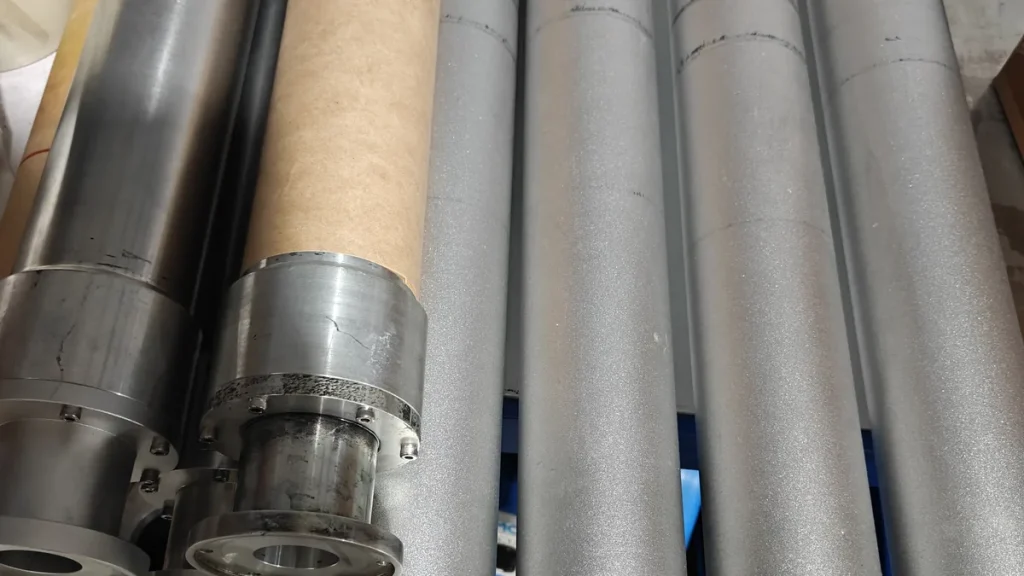
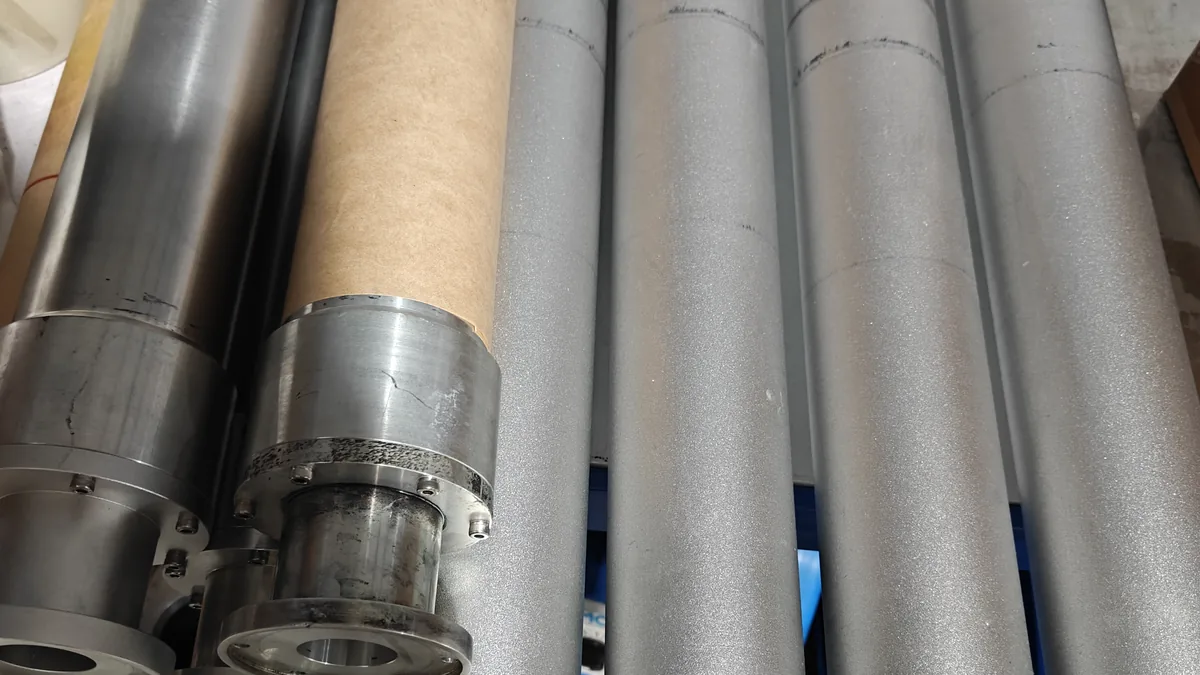
A socks printer roller — also called a mandrel or cylinder — is the metal tube that holds a sock, cooling arm sleeve or other tubular knit while it prints. Diameter and length both have to fit the product. If the diameter is wrong, the blank sits too loose or too tight, and the 360° image can slack, stretch or fail to join cleanly. If the length is too short, the print stops before the cuff or the toe. This guide is for print shops choosing or swapping rollers, so they can produce custom printed socks with our 360 seamless socks printer — and print sleeves on the same platform when the roller allows it.
How a Rotary Socks Printer Prints on a Roller
A Colorido socks printer does not print on a flat sheet. The operator slides a finished blank onto a matched roller. The roller turns while the printhead carriage travels along its axis, laying a continuous spiral of ink around the tube. That motion creates a 360° wraparound image, without a side seam from folding the product flat.
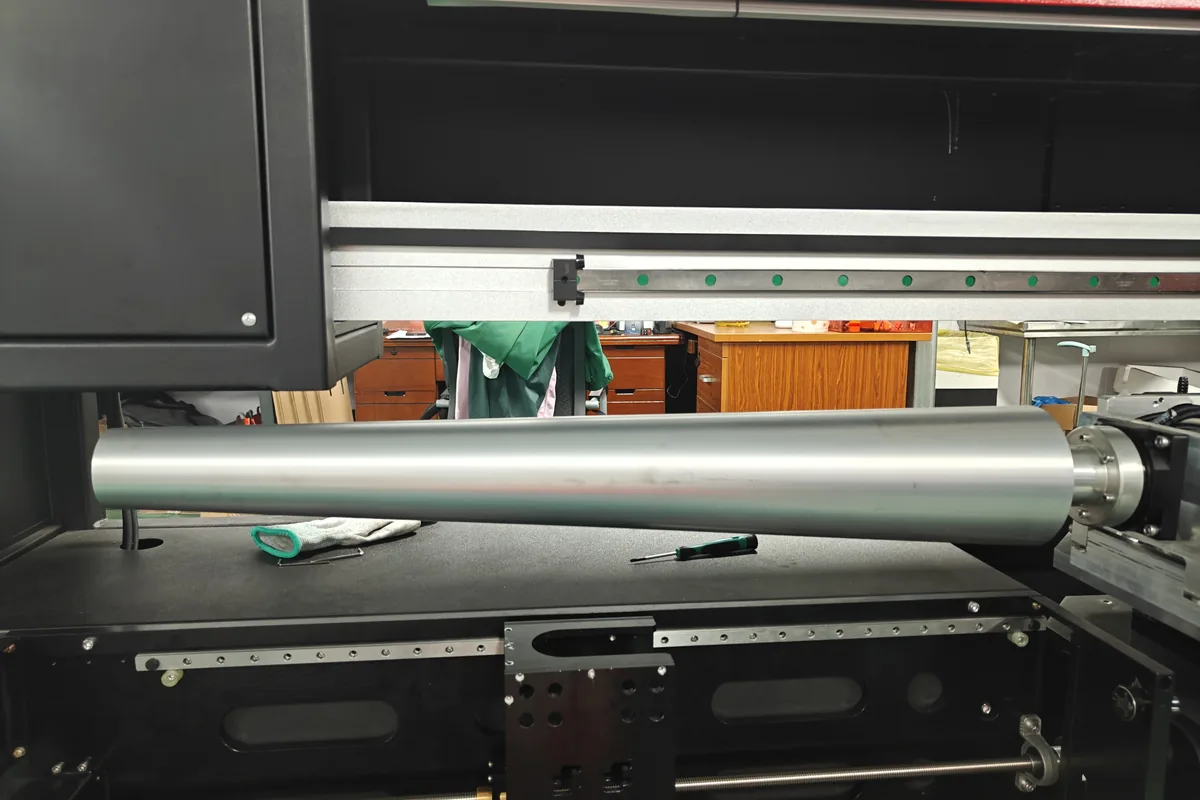
Artwork has to be sized for the roller in use. For stretch, templates and loading, see 360 sock printer rollers: matching roller size to sock size and artwork file prep for 360° sock printing. The rest of this article looks at the hardware: which diameters and lengths each model can take, and how to swap them.
Why Roller Diameter Matters
Diameter is the thickness of the roller. The blank must sit taut around it — firm enough that the surface is smooth, not so tight that the knit is pulled far beyond a wearing stretch.
- Too small: the sock or sleeve wrinkles, slips or leaves a soft ridge. The print can blur or leave a gap at the join.
- Too large: the blank is hard to load and is printed in an overstretched state. When it relaxes, the design can look compressed; when it is worn, opened loops may show unprinted yarn. The earlier roller-size guide covers this in more detail.
Colorido does not publish a public chart that maps a millimeter size to “kids”, “women’s” or “men’s” socks. The right diameter depends on the blank’s relaxed circumference, its stretch and the product — a slim dress sock, a thick sports crew, a wristband and a cooling arm sleeve can all need a different roller. Measure the product, then confirm the roller with Colorido if you are not sure.
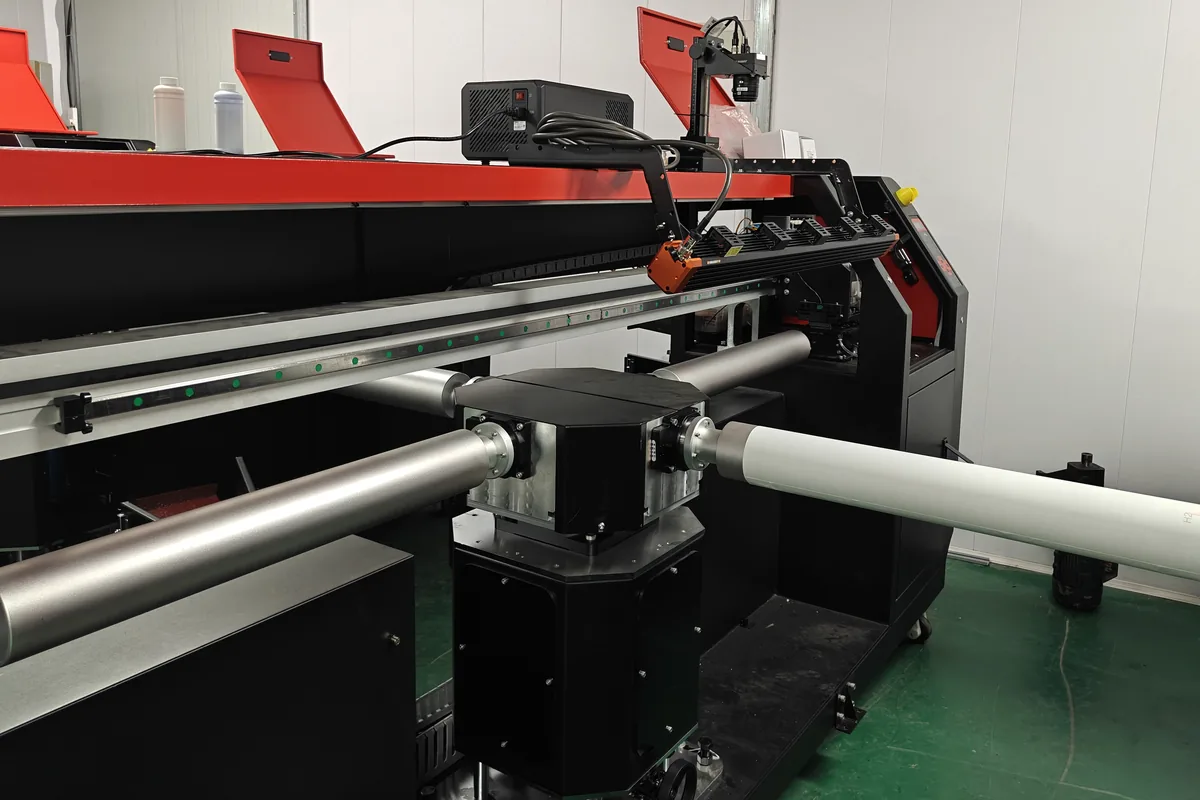
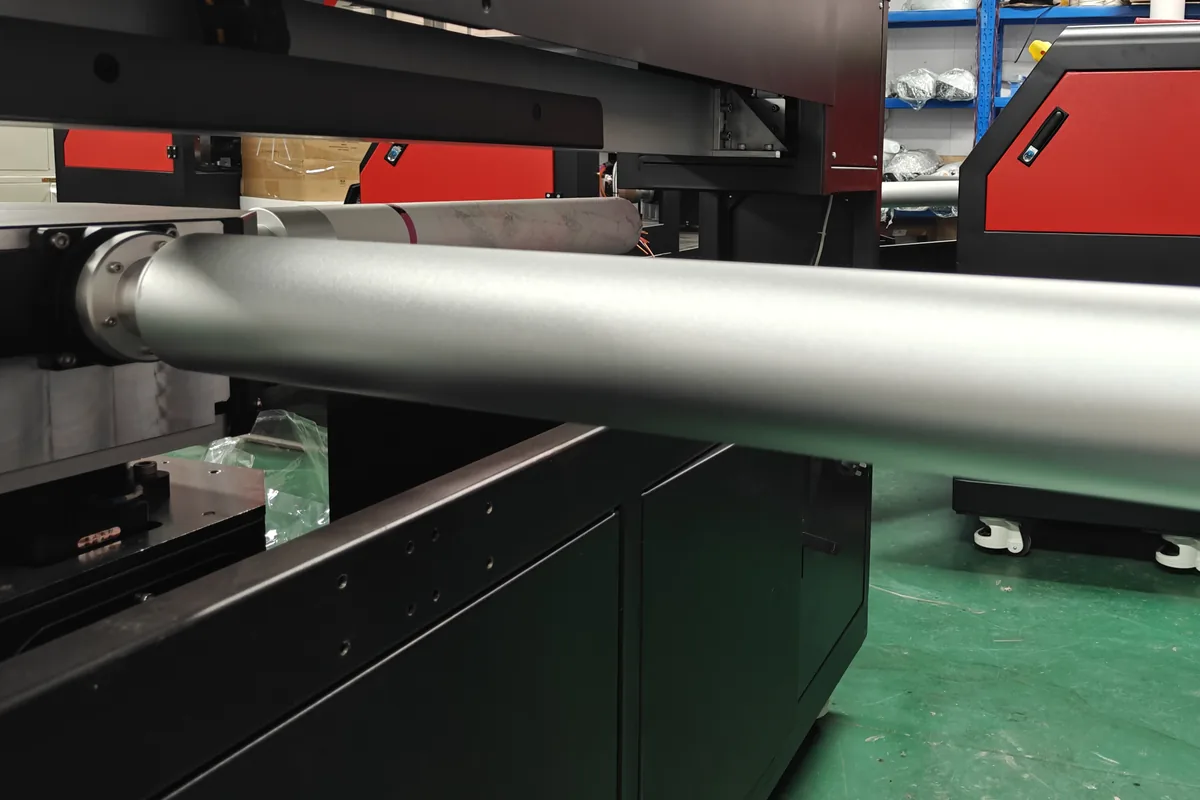
On several Colorido models, one socks printer can hold more than one roller diameter within its published range. A twin-roller machine in the workshop can run a bare metal roller on one station and a visibly thicker wrapped roller on the other.
Why Roller Length Matters
Length is the usable span of the cylinder, and it has to cover the area you want to print.
- Ankle and no-show socks need less printable length than a crew or a knee-high.
- Cooling arm sleeves and long sports socks need a longer roller than a standard crew.
- The CO60-100PRO is the long-product platform in the lineup. Its product page describes a long roller for long socks and tights, and also lists sleeve covers and wrist bands.
Published lengths are not identical across every Colorido page, so treat the table below as a starting point and confirm the exact roller for your order. Confirm current lengths with Colorido before you order.
Colorido Models and Published Roller Ranges
Shortlist a platform, then confirm the current roller set on the model page. Where the socks printer hub and a model page list different numbers, this article does not pick a side.
| Model | Platform | Published roller diameter | Published roller or print length | Listed tubular uses |
|---|---|---|---|---|
| CO80-210PRO | Four-roller | Confirm current range (model page and hub differ) | Confirm current length (700 mm on the model page; 600–700 mm on the hub) | Custom socks, sleeve covers, wristbands |
| CO60-100PRO | Twin-roller | 60–100 mm, customizable | Confirm current length (listings include 600–1050 mm, 1,000 mm and up to 1,100 mm) | Socks, long socks and tights, sleeve covers, wrist bands |
| CO70-220PRO | Single-roller, open arm | Confirm current range (model page and hub differ) | Confirm current length (750 mm or customized, and 800 mm) | Socks, neck gaiters, ice sleeves, wristbands |
| CO80-600DK | Desktop | 82 mm | 600 mm | Socks, ice sleeves, wrist guards |
| CO220-450MAX | Multi-roller yoga-wear printer | ≤440 mm | Print length up to 1,100 mm | Seamless yoga wear and larger tubular garments |
Printheads, reference output and ovens (COHE-1801, COHE-1802, COHE-1803) are listed on each model page. Reference output varies with print mode, artwork, material and workflow.
How to Choose and Swap Rollers
- Measure the blank. Record the relaxed circumference of the leg or sleeve, a gentle wearing stretch, and the length you need to print, from the start of the design to the cuff or toe.
- Check the machine’s published range. A desktop CO80-600DK is listed with a single 82 mm roller and a 600 mm print length. Other models accept a range of diameters, and some accept longer or custom lengths.
- Confirm with Colorido if you are unsure. Send a sample blank, or the measurements and fiber content. Do this for a new size, a thick knit, or a product you have not printed before, such as custom cooling arm sleeves.
- Print a test. A grid or repeat pattern shows whether the blank is taut, whether the join meets, and whether the design distorts when the product is worn.
- Swap rollers within the model’s range. One socks printer can run more than one roller size. Group jobs by roller so you are not changing diameters between every pair. After a swap, check printhead height and roller lift so the carriage stays clear of the new diameter.
- Match the artwork to the roller. Each diameter has its own template width. Using the wrong template leaves a gap or an overlap at the join. See the artwork prep guide.
Do not assume a roller from one Colorido model will mount on another. Mounting hardware and published ranges differ. Confirm compatibility before you move a cylinder between machines.
Rollers for Sleeves, Wristbands and Yoga Wear
Colorido lists sleeve covers, ice sleeves or wristbands on the CO80-210PRO, CO60-100PRO, CO70-220PRO and CO80-600DK pages. A sleeve is usually longer than a crew sock, so length often becomes the deciding measurement. For design and fabric notes, see custom printed ice sleeves and custom cooling arm sleeves.
Yoga wear and other large tubular garments need a much larger diameter than a sock. The CO220-450MAX is the seamless rotary yoga-wear printer in the lineup, with rollers up to 440 mm in diameter and a print length of up to 1,100 mm.
Order the Right Roller Set
A shop that runs custom printed socks in a few crew sizes may only need two or three diameters on a four-roller or twin-roller socks printer. A shop that also prints knee-highs and arm sleeves should plan for longer rollers, and for a model whose published range covers any larger diameter.
Compare the five platforms on the Socks Printer page, then contact Colorido with your blank sizes. You can also watch a rotary socks printer in production and ask questions on the weekly YouTube live stream.
FAQ
What is a socks printer roller?
A socks printer roller (or mandrel) is the cylindrical tube that holds a sock or other tubular product while a rotary socks printer applies a 360° image.
Why do diameter and length both matter?
Diameter controls how taut the blank sits. Length controls how much of the product you can print. A roller can be the right thickness and still be too short for a knee-high or a cooling arm sleeve.
Can one socks printer use more than one roller size?
Yes, within the model’s published range. A twin-roller Colorido socks printer can hold a bare metal roller and a thicker wrapped roller at the same time. Group jobs by roller size and reset head height after a swap.
How do I choose the right roller for a new sock or sleeve?
Measure the blank, compare it with the machine’s published range, and print a test. If you are unsure, send the blank or the measurements to Colorido rather than guessing a millimeter size.
Do cooling arm sleeves need a different roller from crew socks?
Often yes. A sleeve is typically longer than a crew sock, and its circumference may also differ. Confirm both diameter and length. Colorido lists ice sleeves or sleeve covers on several socks printer models.
Are rollers interchangeable between Colorido models?
Not automatically. Each model has its own mounting and published diameter and length range. Confirm with Colorido before you move a roller from one machine to another.
Leave A Comment