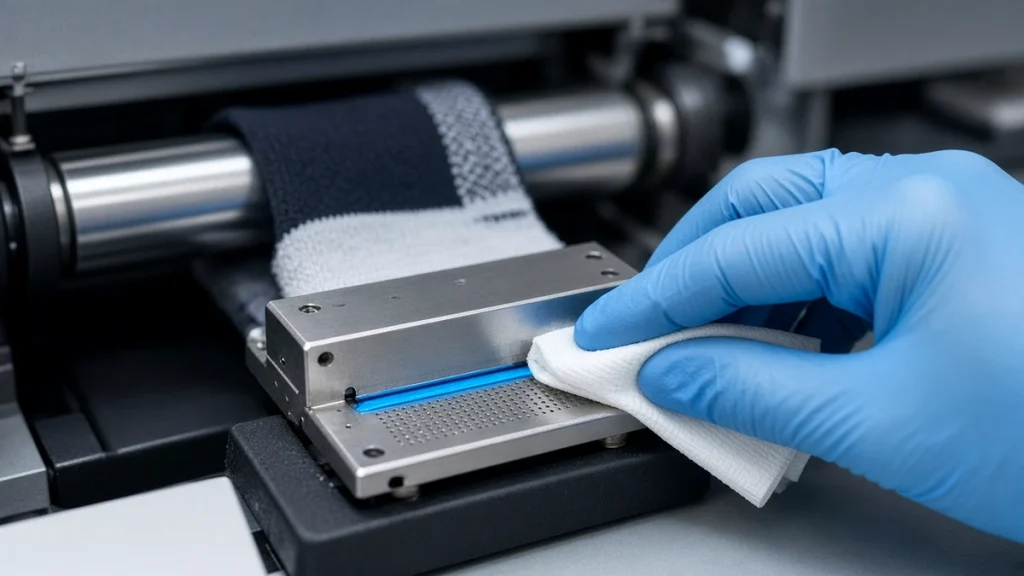
In any socks printer, the printheads do the most delicate work. They fire tiny droplets of ink with great precision, thousands of times per second, while a roller spins beneath them. When they work well, prints are crisp and colors are smooth. When nozzles start to clog, you see thin lines, faded bands and inconsistent color. This guide focuses on keeping printheads healthy in a textile environment.
How clogs happen
Most printhead problems come from three sources:
- Dried ink. When ink dries at the nozzle surface, it forms a skin that blocks droplets. This happens when heads are left uncapped, when the room is too dry, or when the machine sits idle for long periods.
- Lint and dust. Socks shed fibers during loading and printing. Fibers that reach the nozzle plate can block or deflect droplets.
- Air in the ink path. Air bubbles from empty tanks, loose fittings or worn dampers interrupt ink supply.
Daily habits that protect heads
- Run a nozzle check at the start of each shift.
- Keep bulk ink tanks topped up so air is not drawn into the lines.
- Make sure heads are properly capped whenever the machine is not printing.
- Clean the wiper and capping area at the end of each day.
- Keep the room clean and control lint around the printer.
These steps are covered in our broader socks printer maintenance routine.
Climate control
Stable humidity is one of the most effective ways to prevent clogs. Very dry air speeds up ink evaporation at the nozzle; a simple humidifier can make a noticeable difference. Avoid placing the printer near doors, heaters or air conditioning outlets that create drafts.
Choosing the right cleaning method
Most machines offer several cleaning levels, from a light purge to a strong cleaning cycle. Start with the lightest option. Repeated strong cleanings waste ink and can stress the heads. If a light cleaning does not restore the nozzle check, try manual cleaning of the capping station and wiper before running stronger cycles. Use only the recommended cleaning liquid and lint-free swabs.
Recognizing banding
Banding appears as repeating light or dark lines across the print. On a socks printer it usually runs around the sock in the direction of rotation. Common causes include:
- Missing or deflected nozzles.
- Incorrect step or feed calibration.
- Uneven sock loading that changes the distance between head and fabric.
- A dirty encoder strip causing position errors.
A nozzle check quickly tells you whether the cause is the head or the mechanics. If nozzles are perfect but banding remains, check calibration and loading.
Parts that support printhead health
Several inexpensive parts directly affect head life:
- Capping station – seals the heads when parked. Worn caps let heads dry out. See the capping station and capping parts.
- Dampers – stabilize ink pressure and filter particles. See dampers.
- Ink tubes – aging tubes can crack or let in air. See ink tubes.
- Head cable – a damaged cable can cause misfiring. See the I1600 print head cable.
Replacing these parts on schedule is far cheaper than replacing a head.
Idle periods
If the printer will be idle over a weekend or holiday, follow your supplier's guidance. Some recommend a short daily print or nozzle check even on idle days; others recommend a specific storage procedure. The worst option is simply switching off and walking away for a week.
When to replace a printhead
Heads are consumables with a working life that depends on ink, environment and care. Signs a head is reaching the end include nozzles that cannot be recovered with cleaning, or persistent deflection. When that happens, a replacement Epson I1600 printhead restores quality. Keep records of installation dates so you can track lifespan.
Training matters
Many head failures trace back to small habits: leaving heads uncapped during a break, wiping with the wrong material, or ignoring early warning signs. Including head care in your operator training plan is one of the best investments you can make.
When to ask for help
Some printhead problems are best handled by your supplier rather than by repeated cleaning. If several cleaning cycles do not recover missing nozzles, if one color drops out repeatedly, or if you notice ink leaking around the head, stop and contact support with photos of the nozzle check. Aggressive cleaning can make some problems worse.
Habits that protect printheads
- Print a nozzle check at the start of every shift.
- Keep the room within the climate range in your manual.
- Use the inks and cleaning liquid recommended for your socks printer.
- Plan shutdowns carefully instead of simply switching off.
For broader routines see our maintenance guide.
Conclusion
Healthy printheads mean sharp, consistent socks and fewer reprints. Control humidity, keep lint away, cap heads properly and replace low-cost wear parts on time. For detailed guidance on your model, visit our support page or ask our engineers.
Leave A Comment