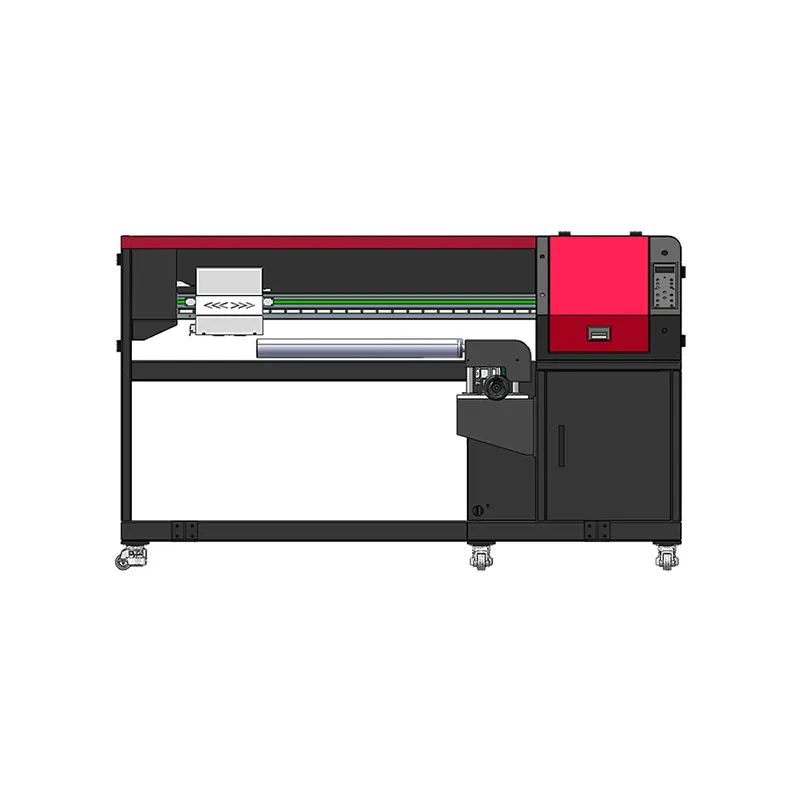
When you shop for a 360° sock printer, one of the first differences you’ll notice is the roller configuration. Some machines have a single arm, some have two rollers, some have four, and some are compact desktop units. These designs aren’t just cosmetic: they shape your daily workflow.
This guide explains how each configuration works and what kind of business it suits, using Colorido’s lineup as examples.
Why Roller Configuration Matters
Printing a sock involves more than the print pass itself. An operator must:
- Load a blank sock onto the roller
- Print it
- Unload it
- Load the next sock
On some designs, the sock printer waits while the operator loads and unloads. On others, loading happens at one station while printing happens at another. That difference affects how continuously the machine can work.
Single-Arm (Cantilever) Sock Printers
How it works
A single roller extends from one side of the machine, like an arm. The operator loads a sock, the machine prints, and the operator unloads it.
Strengths
- Open structure with easy access for loading and sleeving
- Quick style changeovers, handy when switching between product types
- Flexible for a variety of tubular items
Example
The CO70-220PRO uses an open single-arm structure. The cantilever single-roller design gives generous space for loading, so style changes and setup are quick. It also suits tubular headwear.
Best for
Shops with varied products and frequent changeovers, or businesses that print headwear alongside socks.
Twin-Roller Sock Printers
How it works
Two rollers alternate. While one is printing, the operator loads or unloads the other. When printing finishes, the stations switch.
Strengths
- Less waiting between products
- Smoother workflow than a single station
- A good balance of capability and footprint
Example
The CO60-100PRO uses twin rollers in alternating use. The two stations take turns printing without repeated loading and unloading, which shortens changeover time.
Best for
Growing businesses moving from occasional orders to regular production.
Four-Roller Sock Printers
How it works
Four rollers rotate in turn. One station prints while the others are free for loading and unloading. The machine moves smoothly from one sock to the next.
Strengths
- Continuous production rhythm
- Shorter changeover time between products
- Built for batch orders and peak seasons
Example
The CO80-210PRO uses four rollers in alternating use. The stations rotate without repeated loading and unloading, which raises production efficiency. It’s designed for socks, wrist sweatbands, and cooling arm sleeves.
Best for
Workshops with steady order volume, B2B customers, and busy seasonal peaks.
Desktop Sock Printers
How it works
A compact machine designed to sit on a desk or workbench.
Example
The CO80-600DK has a compact desktop footprint, small and light enough for a desk or compact workbench.
Best for
Studios, retail spaces, showrooms, sampling, and personalized orders.
What About Larger Garments?
For seamless yoga wear and other large tubular garments, the CO220-450MAX uses a multi-roller rotary turntable with large-diameter rollers. While one roller prints, the others are loaded or unloaded at the same time.
Reference Specifications
| Model | Type | Reference output | Printheads | Max print length | Roller diameter | Machine size (mm) |
|---|---|---|---|---|---|---|
| CO80-210PRO | Four-roller | 50–120 pairs/h | 2× Epson I1600 | 700 mm | 72–90 mm | 2765×610×1465 |
| CO60-100PRO | Twin-roller | 40–65 pairs/h | 2 or 4× Epson I1600 | up to 1000 mm | 60–100 mm (customizable) | 2705×840×1530 |
| CO70-220PRO | Single-roller multifunction | 20–30 pairs/h | 2× Epson I1600 | 750 mm or customized | 70–220 mm | 2200×650×1350 |
| CO80-600DK | Desktop | 20–30 pairs/h | Epson 1600 | 600 mm | 82 mm | 1250×570×580 |
| CO220-450MAX | Seamless rotary yoga-wear | ~3 min/piece (8-color), ~1 min 30 s/piece (4-color) | 4× Epson I3200 | 1100 mm | ≤440 mm | 3000×610×1340 |
Reference output varies with print mode, artwork, material, workflow and configuration. Full specifications: Colorido sock printer lineup.
Comparison Overview
| Configuration | Workflow | Footprint | Typical fit | Colorido example |
|---|---|---|---|---|
| Desktop | One station, compact | Smallest | Studios, sampling | CO80-600DK |
| Single-arm | One station, open access | Moderate | Varied products, headwear | CO70-220PRO |
| Twin-roller | Two alternating stations | Moderate | Growing production | CO60-100PRO |
| Four-roller | Four rotating stations | Larger | Steady batch production | CO80-210PRO |
| Multi-roller turntable | Large rollers, alternating | Large | Yoga wear | CO220-450MAX |
How to Choose
Ask yourself:
- What’s my typical order size? Single pairs, small batches, or large runs?
- How often do I switch products? Frequent changeovers favor open, flexible designs.
- How much space do I have? Measure, and leave room for loading and finishing.
- What’s my growth plan? Choose a machine you won’t outgrow too quickly.
- Who will operate it? Consider training and staffing for each configuration.
Our team can help you match a configuration to your needs. Share your products, materials, and expected volume. Before that conversation, it helps to work through these questions to ask before buying a sock printer.
FAQ
Is a four-roller sock printer always better?
Not always. It suits steady production, but a single-arm or desktop machine can be the smarter choice for varied products or limited space.
Can I start with one machine and add another later?
Yes. Many businesses add capacity as demand grows, sometimes combining a desktop unit for samples with a multi-roller machine for production.
Do all configurations print the same products?
Each machine is designed for certain products. Check which items and roller sizes each model supports.
Find Your Fit
Understanding roller configurations helps you pick a sock printer that matches how you actually work. See the kinds of custom printed socks these machines produce on our custom printed socks page.
Leave A Comment