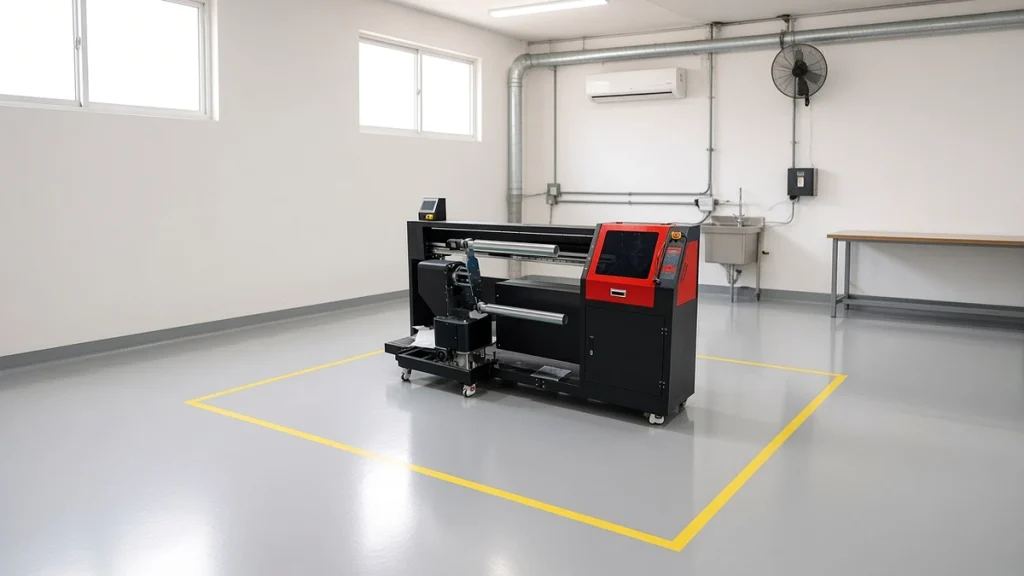
Preparing the workspace before your socks printer arrives makes installation faster and prevents problems later. Printers are sensitive to dust and climate; ovens and dryers need power and ventilation; cotton finishing needs water and drainage. This guide lists what to plan, using general principles. Always confirm exact requirements with your supplier's specifications.
Floor space
Measure not only the machine footprint but also working space around it:
- Printer: machine dimensions plus room for operators to load rollers, access maintenance areas and open covers. Published dimensions for Ningbo Colorido models range from compact desktop units to floor-standing multi-roller machines a few meters long; check the comparison table.
- Loading table: a clean surface for blanks and printed socks.
- Fixation equipment: ovens or steamers, with clearance for heat and loading.
- Cotton finishing: washer, spin dryer and tumble dryer, grouped near water and drainage.
- Inspection and packing: a well-lit table and shelving.
- Storage: blanks, ink, chemicals and packaging.
Plan the layout in process order; see planning a production line around your socks printer.
Electrical supply
Printers draw modest power, but ovens, steamers and dryers can draw a lot. Check:
- Voltage and phase for each machine.
- Total load when everything runs at once.
- Dedicated circuits for sensitive electronics.
- Stable supply; consider voltage stabilization or an uninterruptible power supply for the printer and computer in areas with unstable power.
Climate control
Printheads prefer stable temperature and humidity. Very dry air dries ink at the nozzles; very humid air can affect fabric handling and drying. Practical steps:
- Install air conditioning for stable temperature.
- Use a humidifier or dehumidifier as needed.
- Keep the printer away from doors, windows and direct sunlight.
- Monitor conditions with a simple hygrometer.
Climate control is one of the most effective ways to protect printheads; see our printhead care guide.
Dust and lint control
Socks shed lint. Keep it away from the printer:
- Separate the print area from packing and cutting where possible.
- Clean floors and surfaces daily.
- Avoid fans blowing lint toward the machine.
- Store blanks in closed boxes.
Ventilation
Ovens and dryers release heat and moisture. Plan exhaust or airflow so heat does not build up in the print area. Follow local regulations for ventilation when using ink and chemicals.
Water, drainage and steam (cotton route)
The cotton route needs:
- Water supply for the washer.
- Drainage capable of handling wash cycles.
- Steam supply at the required pressure for steamers and steam-heated dryers, or electric alternatives where available.
Equipment like the COHE-130 steam-heated dryer and COST-1802 steamer list their utility needs on their product pages.
Floor and structure
- A level floor prevents vibration and alignment issues.
- Check floor load for heavy dryers and washers.
- Spin dryers should be installed on a solid base.
Network and computers
The RIP computer needs reliable power and a network connection for updates, remote support and order files. Place it near the printer, protected from dust.
Safety
- Clear walkways and emergency exits.
- Fire extinguishers near heat equipment.
- Safe storage for inks and chemicals with safety data sheets.
- Training on hot surfaces and moving parts.
Preparing for delivery
- Confirm doorway sizes and access for the machine crate.
- Arrange lifting equipment if needed.
- Have utilities ready before the installation engineer arrives.
Planning before the machine arrives
Preparing the space in advance makes installation smoother and avoids delays. Ask your supplier for the installation requirements of your specific socks printer and finishing equipment, then check each item on site.
Power
Confirm the voltage, phase and capacity needed for the printer, oven or steamer and any finishing equipment running at the same time. Heating equipment often draws the most power. Have a qualified electrician check sockets, grounding and circuit protection. A stable supply protects electronics and printheads.
Climate
Inkjet printing is sensitive to temperature and humidity. Very dry air can affect ink behavior and static; very hot rooms can affect inks and electronics. Keep the printing area within the range given in your manual and avoid placing the printer near doors, windows or heating vents. A simple thermometer and hygrometer help you monitor conditions.
Floor space and access
Allow room around each machine for loading, maintenance and moving trolleys. Leave space for staging tables between printing and fixation, and for storing blanks and finished socks separately. Check doorways and lifts are wide enough for delivery.
Ventilation and safety
Heating and steaming equipment may need ventilation. Store inks and chemicals according to their safety data sheets, away from heat and direct sunlight.
Cleanliness
Dust and fibers can affect print quality. Keep the printer area clean, store blanks covered and avoid cutting or brushing fabric nearby.
Related guides: planning a production line, choosing a sock oven, and the support page.
Conclusion
A well-prepared workspace lets your socks printer and finishing line run reliably from day one. Plan space in process order, confirm power and utilities, control climate and lint, and prepare access for delivery. For model-specific requirements, check each product page or contact our team for a site checklist.
Leave A Comment